








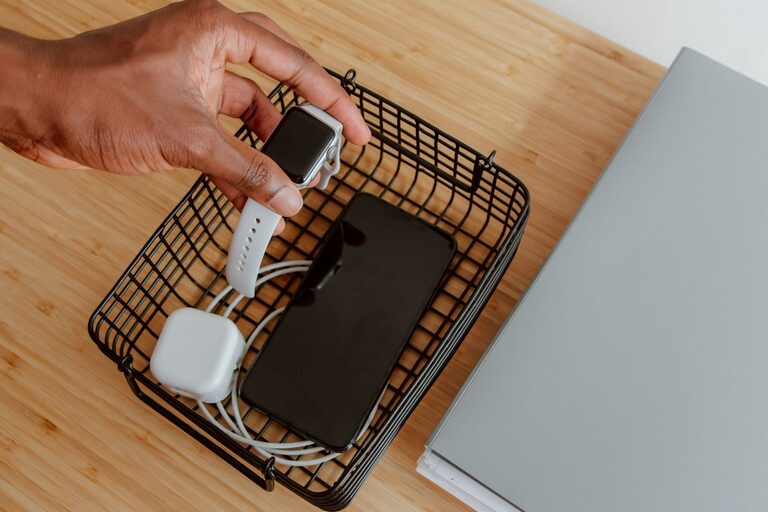
Setting up a dedicated charging station for your devices can simplify your daily routine and reduce clutter. Whether you want to charge smartphones, tablets, laptops, or wearable devices, a well-planned charging station keeps everything in one place and ready to use. This guide walks you through designing and setting up a practical charging station that fits your space and needs.
Why Create a Charging Station?
Having multiple devices means multiple chargers, cables, and power adapters cluttering your desk, countertop, or nightstand. A charging station offers several benefits:
– Organization: Keeps all devices and cables neat.
– Efficiency: Charges multiple devices simultaneously.
– Safety: Reduces the risk of tangled cords and electrical hazards.
– Accessibility: Makes devices easy to find and grab when needed.
Step 1: Choose the Right Location
Start by selecting a suitable spot for your charging station. Consider the following:
– Power Outlet Availability: Ensure the area has enough outlets or room for a power strip.
– Accessibility: A central and convenient location where devices are regularly used or stored.
– Surface Space: A flat surface such as a desk, countertop, or shelf.
– Ventilation: Avoid enclosed spaces to prevent overheating.
Common locations include living room console tables, home office desks, kitchen counters, or bedside tables.
Step 2: Assess Your Devices and Charging Needs
Make a list of all devices you want to charge, noting:
– Device types (smartphones, tablets, earbuds, laptops).
– Charging ports required (USB-A, USB-C, Lightning).
– Cable lengths and compatibility.
– Power needs (standard charging, fast charging).
This step helps you determine what kind of power source and accessories you will require.
Step 3: Gather Charging Equipment
Depending on your devices, you might need:
– Multi-port USB Chargers: These provide several USB ports from a single power outlet.
– Wireless Charging Pads: Ideal for Qi-enabled smartphones and earbuds.
– Charging Dock or Stand: Keeps devices upright and visible.
– Power Strip with Surge Protection: Protects devices and increases outlet availability.
– Cable Organizers: Clips, sleeves, or boxes to keep cords tidy.
Select quality chargers and cables to ensure safe and reliable charging.
Step 4: Organize Your Cables
Tangle-free cables make the charging station user-friendly and neat. Consider these cable management tips:
– Use cable clips or adhesive hooks to route cables along surfaces.
– Group cables together with velcro straps or zip ties.
– Hide excess cable length inside cable boxes or behind furniture.
– Label cables if you have similar-looking ones to avoid confusion.
Step 5: Set Up the Charging Station
– Place your power strip or charger close to the power outlet.
– Connect your chargers or charging pads to the power source.
– Position devices on charging stands or mats.
– Lay cables through clips or organizers.
– Keep frequently used devices within easy reach.
Step 6: Maintain Your Charging Station
Regular upkeep ensures your charging station remains efficient:
– Dust and clean the area to prevent buildup.
– Check cables and chargers for wear or damage.
– Rearrange cables and devices as your needs change.
– Avoid overloading power strips for safety.
Additional Tips for an Effective Charging Station
– Label Charging Ports: If using multi-port chargers, label ports for quick device identification.
– Include a Small Basket or Tray: For storing accessories like earbuds, adapters, or memory cards.
– Consider Aesthetics: Choose matching cables or a stylish organizer that fits your decor.
– Set Charging Rules: For shared spaces, establish guidelines to prevent devices from being left indefinitely on the charger.
Conclusion
Creating a charging station is a simple project that enhances your workspace or living area. With the right location, equipment, and organization methods, you can charge multiple devices quickly while keeping your space tidy and safe. Whether for home or office, a charging station combines convenience with efficiency, making device management effortless. Start today and enjoy a clutter-free charging experience!